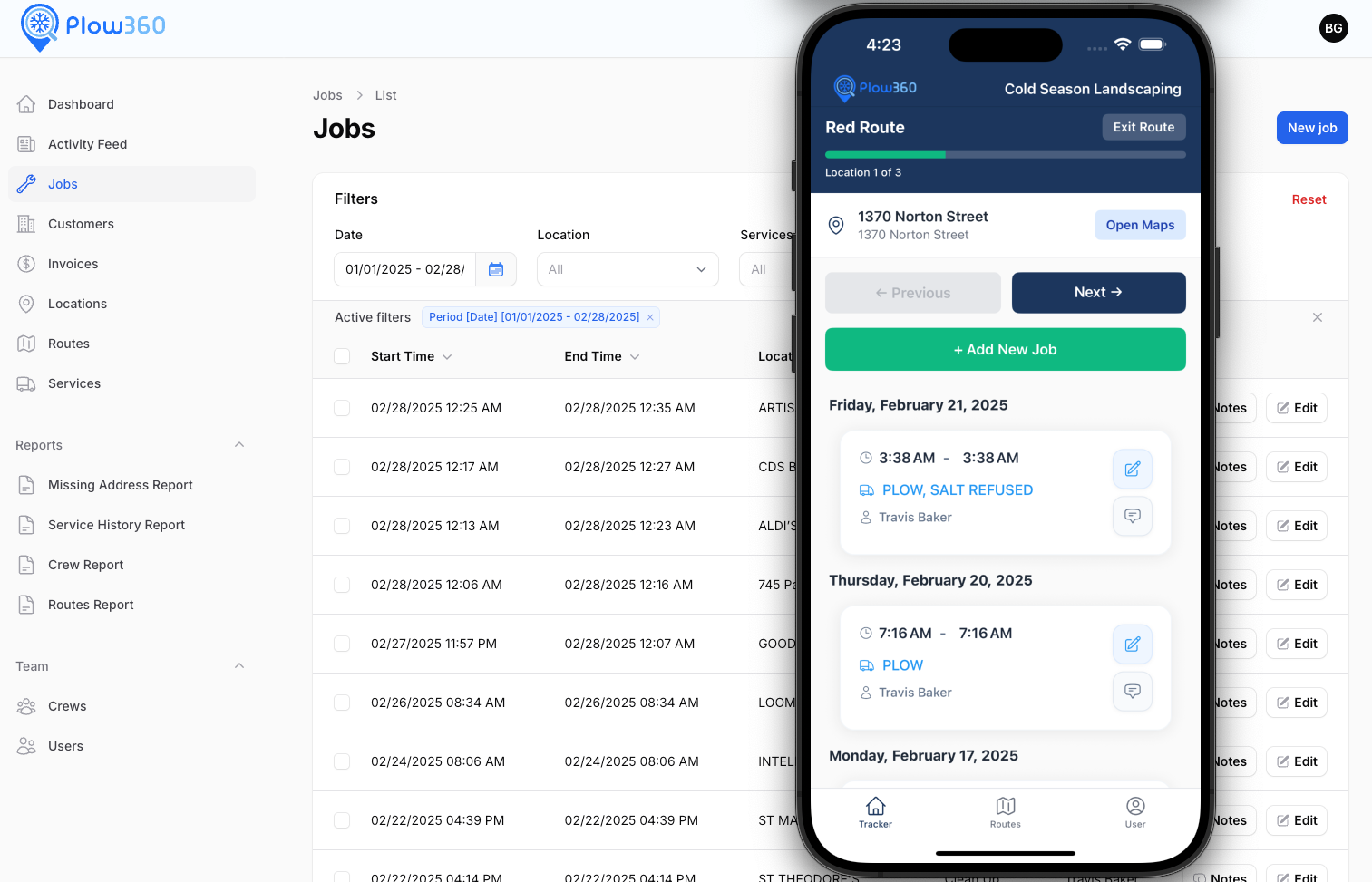
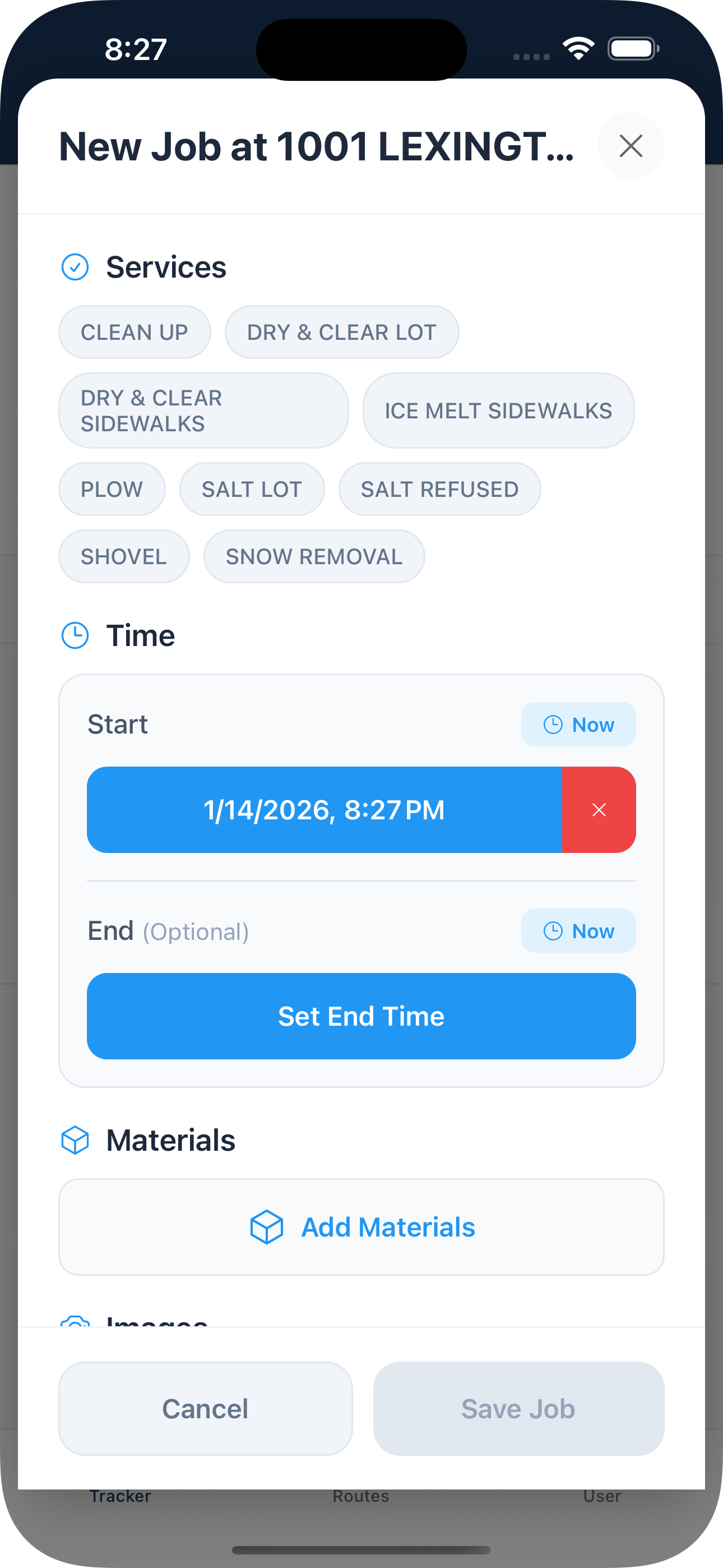
Built for snow pros running solo or a crew of a hundred. Your operators log every visit with GPS, photos and weather from a free app. You dispatch storms, watch the board fill in, and invoice the same day.
Pro is our plan for crews that dispatch. Build the plan before the snow starts, send work orders to your operators, and follow every site on a live progress board until the last lot is clear.
Live progress board
Every site and service in one grid: assigned, on site, done. Spot what is behind before customers call, and reassign it in a click.
Dispatch events
Pick the sites and services for a storm, and Plow360 creates a work order for each one.
Who's on site
The progress board shows which operators have reached each work order, from the arrival and departure times the app records.
Time clock and timesheets
Operators clock in and out from the app. Review hours and export timesheets for payroll.
Subcontractors
Add the companies you hire and invite their operators. They see only the sites and work you give them, and you see every job they do.
QuickBooks & Zapier
Pro sends invoices to QuickBooks Online, keeps payments in step, and connects Plow360 to thousands of apps through Zapier (beta).
Operator app 1.8
The new app brings the Pro features to the truck: clock in and out and see your work orders. There's a reminder if you forget to clock out, too.
Plow360 is built for snow removal crews. Landscapers, property management companies and excavation contractors run their jobs, crews and invoices on it too.
Snow removal & ice management
Track every plow, salt and shovel visit with GPS, photos and weather. Plan storms with dispatch events and watch every site get done.
Landscaping, lawn care & sealcoating
Mark services as winter, summer or both, and run mowing, cleanups and sealcoating from the same customer list all year.
Property management
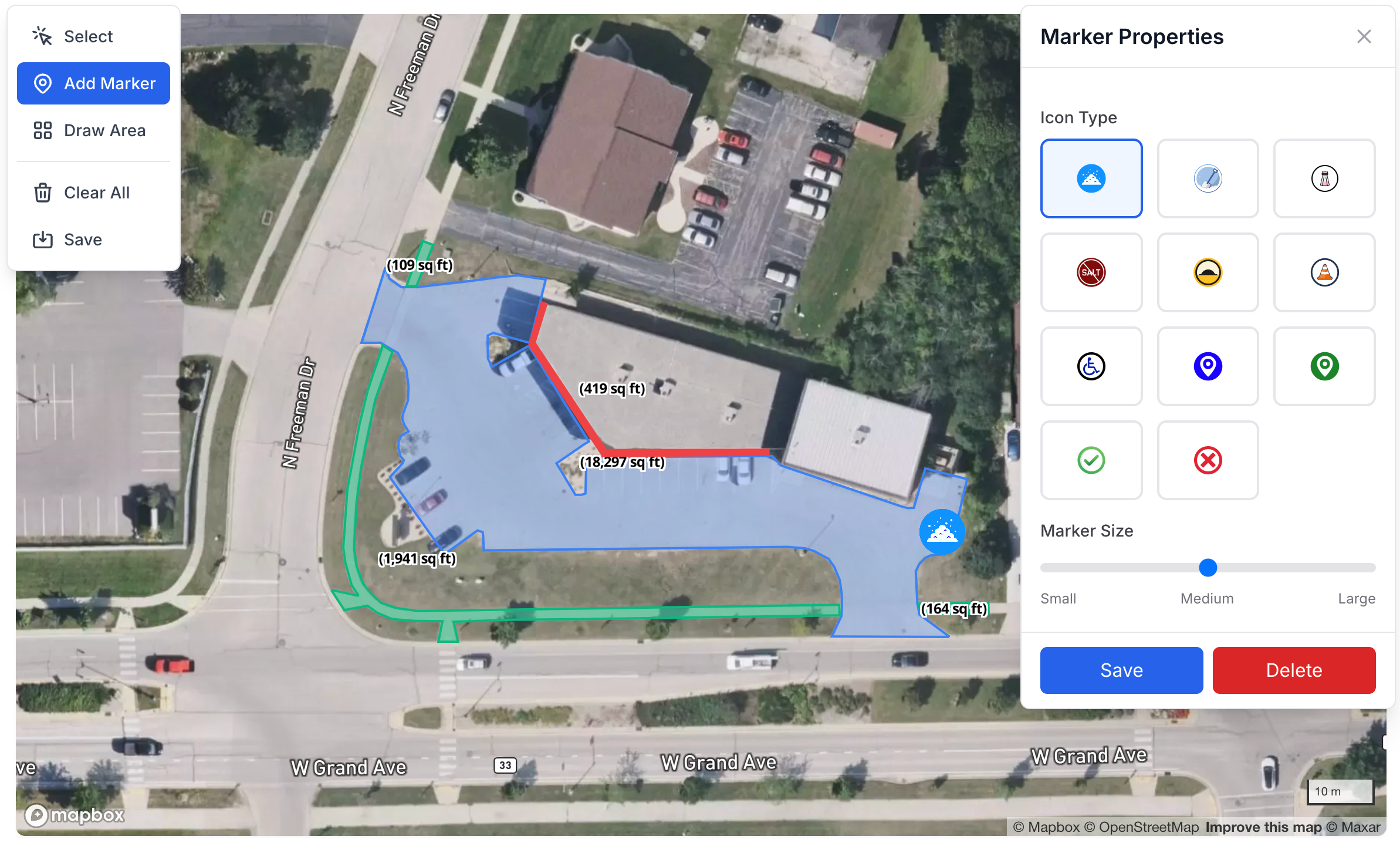
Keep every property in your portfolio in one place, with site maps, access notes and a dated record of each visit. Owners and boards see it in the customer portal.
Excavation & site work
Log each job site visit with photos, start and end times, and materials like stone, fill and topsoil. Clock crews in and out, then bill the work.
Unlimited users
Staff up for the season. No per-user fees.
Your crew isn't the same size in January as it is in July. Team and Pro include unlimited users, so you can bring on seasonal workers when the first storm hits, scale back in spring, and staff up again for the summer. You pay for the sites you service, not the people on your crew.
JMTRAKDLSB+
$0 per extra user
Add a new hire in minutes
Send an email invite. They download the free app and are on a route the same day.
Switch them off when the season ends
Mark seasonal workers inactive in spring. Their jobs, photos and hours stay on record, and you can turn them back on next winter.
Same price at 5 operators or 50
Add as many operators, dispatchers and admins as you need. Your bill doesn't change when your crew does.
Pricing
A plan for every size of operation
Every plan starts with a free 14-day trial. Cancel anytime.
Solo
$20/month
One operator, 25 sites. Job tracking, routes and invoices.
Team
from$40/month
Your whole crew, 100–400 sites, roles, a customer portal and dynamic routes.
Pro
New
from$140/month
Team plus storm dispatch, a live progress board, a time clock and subcontractors.
Frequently Asked Questions About Snow Removal Software
Everything you need to know about Plow360 and how it can help your snow and ice removal business.
What is snow removal management software?
Snow removal management software like Plow360 helps plow operators and snow removal businesses track jobs, manage crews, create routes, automate invoicing, and document services with photos and weather data. It replaces paper logs and spreadsheets with a centralized system accessible from web and mobile apps, saving time and reducing liability.
How does GPS job tracking work for snow plowing?
Our mobile operator app allows crew members to record jobs at customer locations in real-time. Each job captures the GPS location, timestamp, weather conditions, photos, and service details. This documentation provides proof of service and helps protect your business from disputes while keeping dispatchers informed of job progress.
How does geofencing work in Plow360?
Each site has a geofence of about 400 feet around its pin on the map. On the Team and Pro plans, the operator app records when a crew arrives at a site and when it leaves, while the operator runs a route or has the app open, and the times are usually within about a minute. Arrivals and departures show in the activity feed and on the job, with time on site, and a new job's start time is filled in from the arrival. Operators still enter each job's start and end times, which are what reports and invoices use. Location is only used during a route, with the app open, or while clocked in or assigned work orders, and not at other times.
Can I use Plow360 for both residential and commercial snow removal?
Yes! Plow360 supports both residential and commercial customers. You can manage multiple locations per customer, store site-specific notes and access instructions, track different service types (plowing, salting, shoveling), and customize your service catalog. Whether you're servicing driveways or large commercial lots, Plow360 scales with your business.
How do I create efficient snow plow routes?
Use our visual route builder to organize customer locations into logical paths. Assign routes to specific crews, and they'll automatically sync to the mobile operator app. Routes help optimize drive time, reduce fuel costs, and ensure all customers are serviced efficiently during snow events. You can create different routes for different service types or weather conditions, and on Team and Pro, dynamic routes fill themselves by service trigger, tags, zip code, customer or an area on the map, and re-optimize when your sites change.
Can I use this for summer landscaping and year-round services?
Absolutely! While Plow360 was built for snow removal professionals, many customers use it year-round for landscaping, lawn care, property maintenance, driveway sealing, paving, excavation, and other seasonal services. Simply customize your service catalog and mark services as winter, summer, or both. Track all your operations in one place throughout the year.
Does Plow360 work for property management companies?
Yes. Property management companies use Plow360 to keep every property in their portfolio in one place, with site maps, access notes and a dated record of each visit, including photos and weather. Schedule snow removal, landscaping and maintenance across all of your sites, see which ones are done on the live progress board, and give property owners and HOA boards a portal to view service history and invoices.
How does automated invoicing work?
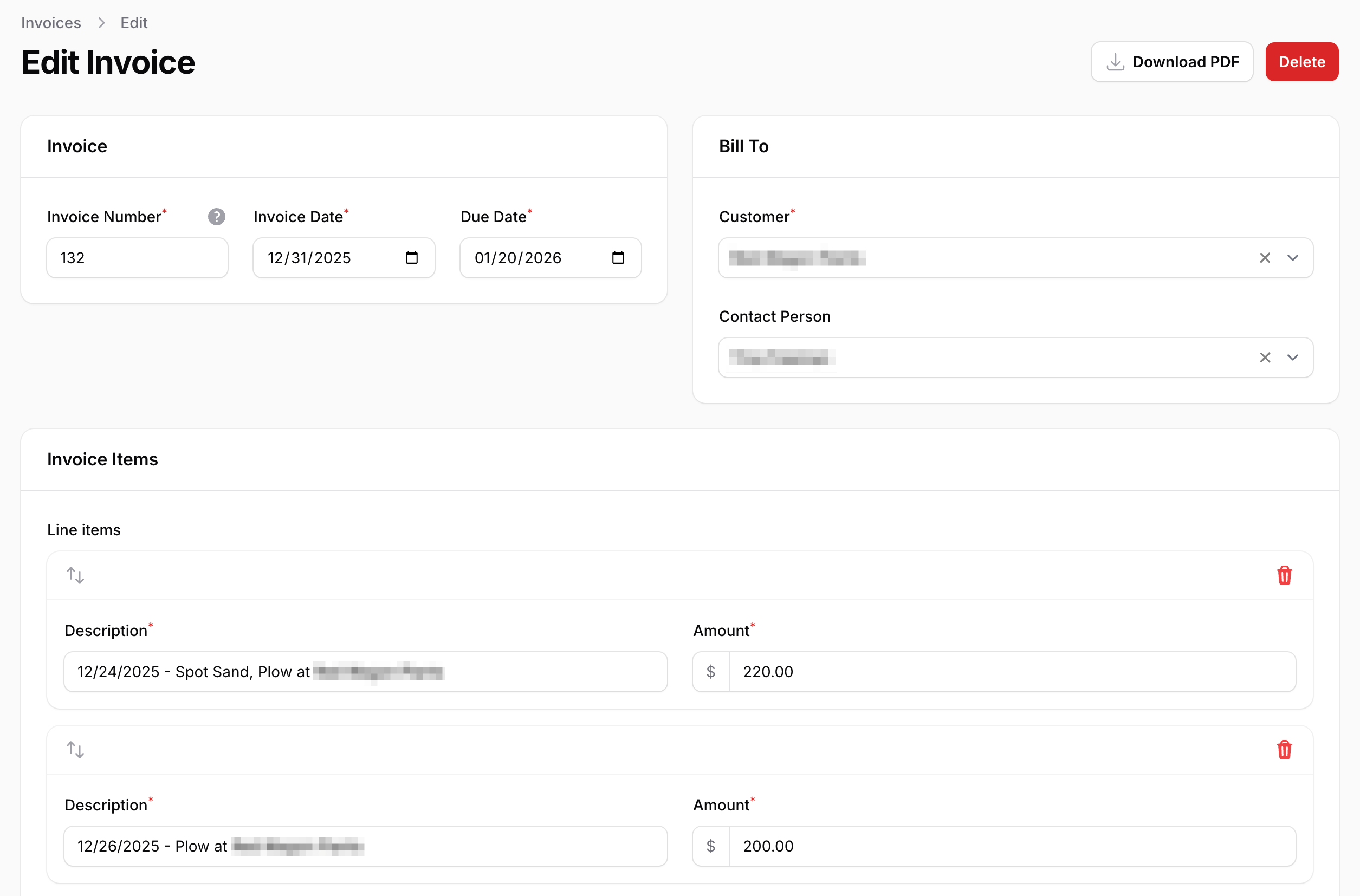
After jobs are completed, you can quickly generate professional invoices by importing completed jobs as line items with automatic pricing. Track payment status, add custom notes, and download invoices as PDFs to email to customers. The system automatically calculates totals and taxes based on your settings, saving hours of billing time.
What weather data is captured for liability protection?
When locations have addresses entered, Plow360 automatically captures weather conditions at the time each job is performed, including temperature, precipitation, snow depth, and conditions. This documentation is stored with the job record and can be included in reports, providing crucial evidence for insurance claims or customer disputes.
How do I invite my crew to use the team platform?
Team and Pro plans include unlimited team members with no per-user fees, so you can add seasonal workers for the winter or summer rush and deactivate them when the season ends. Account owners send email invitations from the user management page. Assign role-based permissions (Administrator, Dispatcher, or Operator) to control what each team member can access.
Can my customers see their service history?
Yes! Team plan subscribers can give customers portal access to view their complete service history, locations, photos, weather data, and invoices. This transparency builds trust and reduces customer service calls. Simply invite customer contacts through the customer management page and they'll receive login instructions.
Is there a mobile app for iOS and Android?
Yes! Download the free Plow360 operator app from the App Store or Google Play Store. The mobile app is optimized for field operators to view assigned routes, navigate to locations, complete jobs with photos, and access location details and special instructions—all with a simple, easy-to-use interface designed for use in the field.
How much does snow removal software cost?
Plow360 offers simple, affordable pricing starting at $20 USD/month for solo operators (1 user, 25 locations) and starting at $40 USD/month for teams (unlimited users, 100+ locations, scalable), and starting at $140 USD/month for Pro, which adds dispatch events, work orders and a live progress board. All plans include a free 14-day trial for a limited time. You can upgrade, downgrade, or cancel anytime.
Which countries does Plow360 support?
Plow360 currently supports snow and ice operations in the United States and Canada. Address lookups, mapping, and weather capture are tailored for North American use, and you can configure pricing and taxes to fit your business. Plow360 also supports both measurement systems (metric and imperial) across locations, services, routes, and reports.